
Log your first day
A picture guide from your first categories to a fully accounted-for day.
This guide takes about ten minutes. By the end you will have categories, a running timer, a past entry, a daily regular activity, and no untracked gaps.
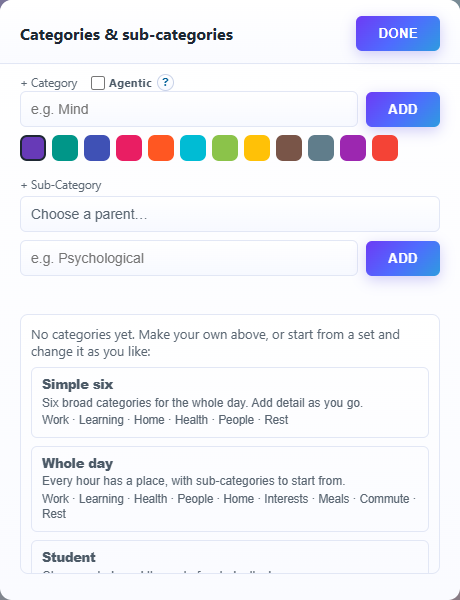
1. Create your categories
Press Category at the top of the sidebar. For a quick start, pick one of the ready-made sets, such as Whole day. Press Done.
2. Start a timer
Open Time Logger. Press Category and choose what you are doing now, type a short description, and press Add with Timer selected.

3. Watch it run, then stop it
The timer appears under Running now. When you finish, press the square Stop button on its row.

4. Add something you forgot
Press Manual, set the start and end times of something that already happened today, choose its category, and press Add.

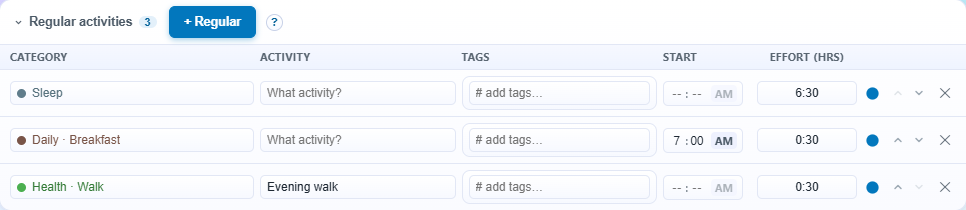
5. Set up a regular activity
Press + Regular. Choose Rest · Sleep, type "Sleep", set Start to 23:00 and Effort (hrs) to 7. It is added to each day from now on.
6. Fill the gaps
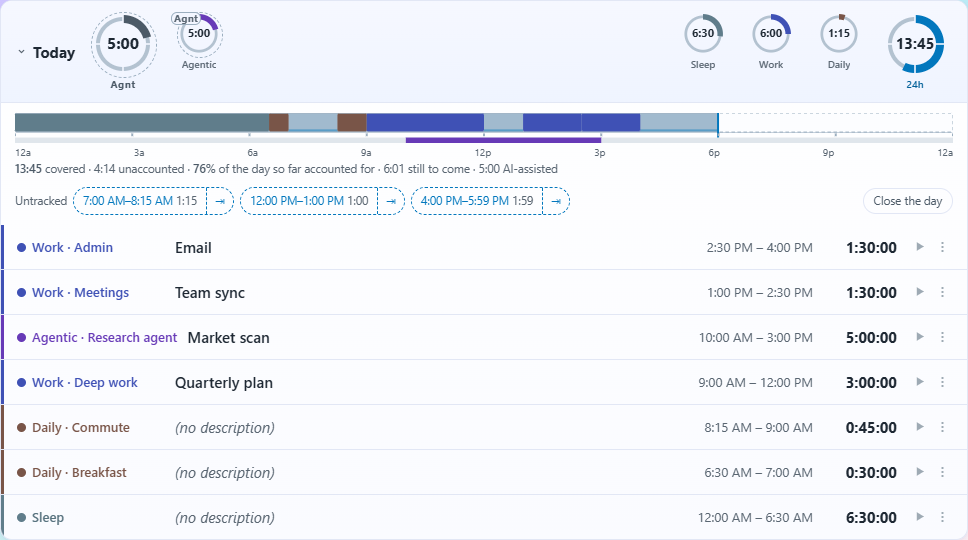
Under today, tap each stretch listed as Untracked. The Manual bar opens with its times filled in; pick a category and press Add. Watch the share of the day accounted for go up.
That's your first day logged. Next, try Plan your week.